
How to Secure Your Documents with a Password?
You can protect your important files in two simple ways:
Method 1: Create a Locked Folder
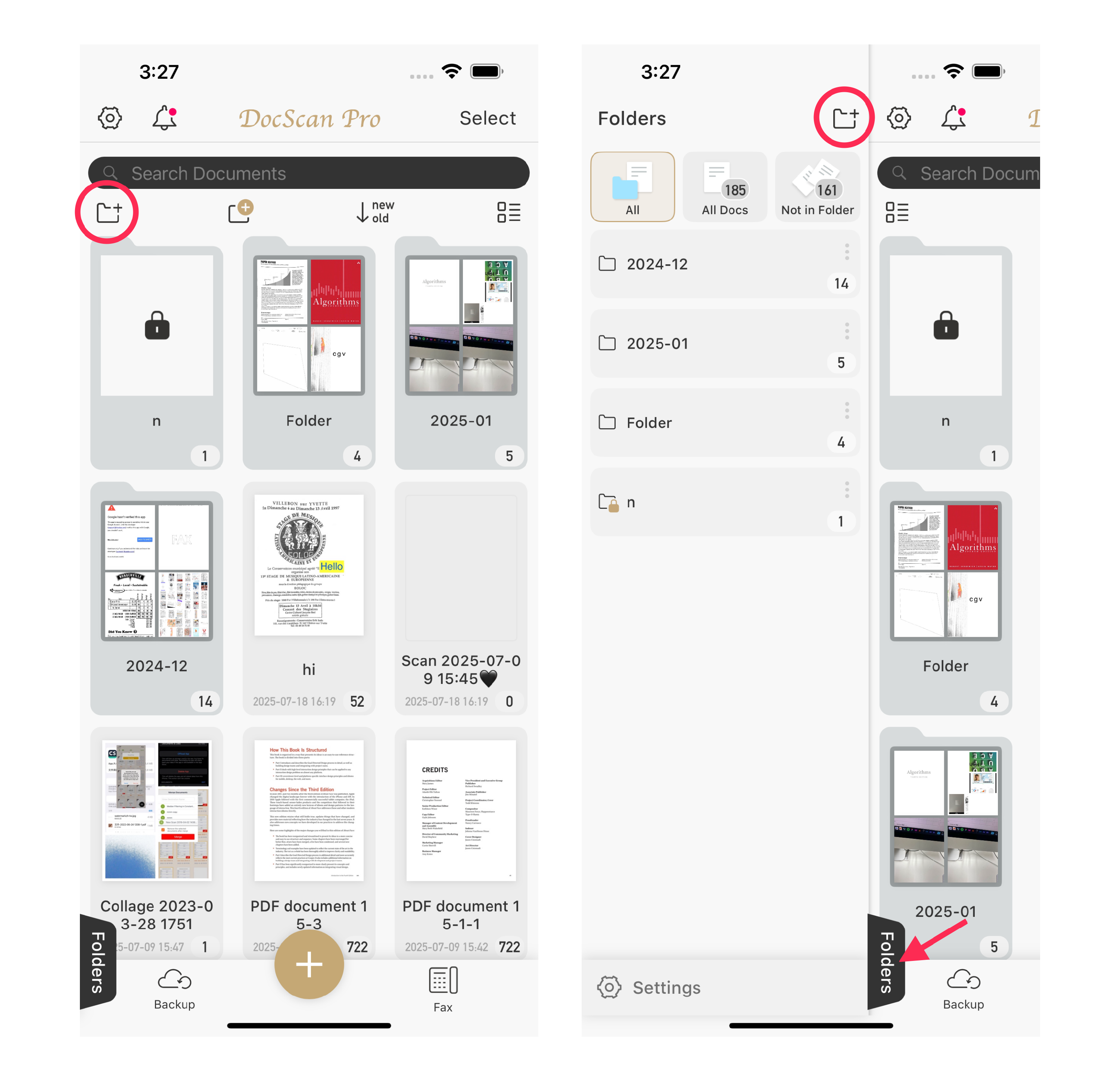
By putting files into a locked folder, all documents inside will be automatically protected.
-
Tap New Folder.
-
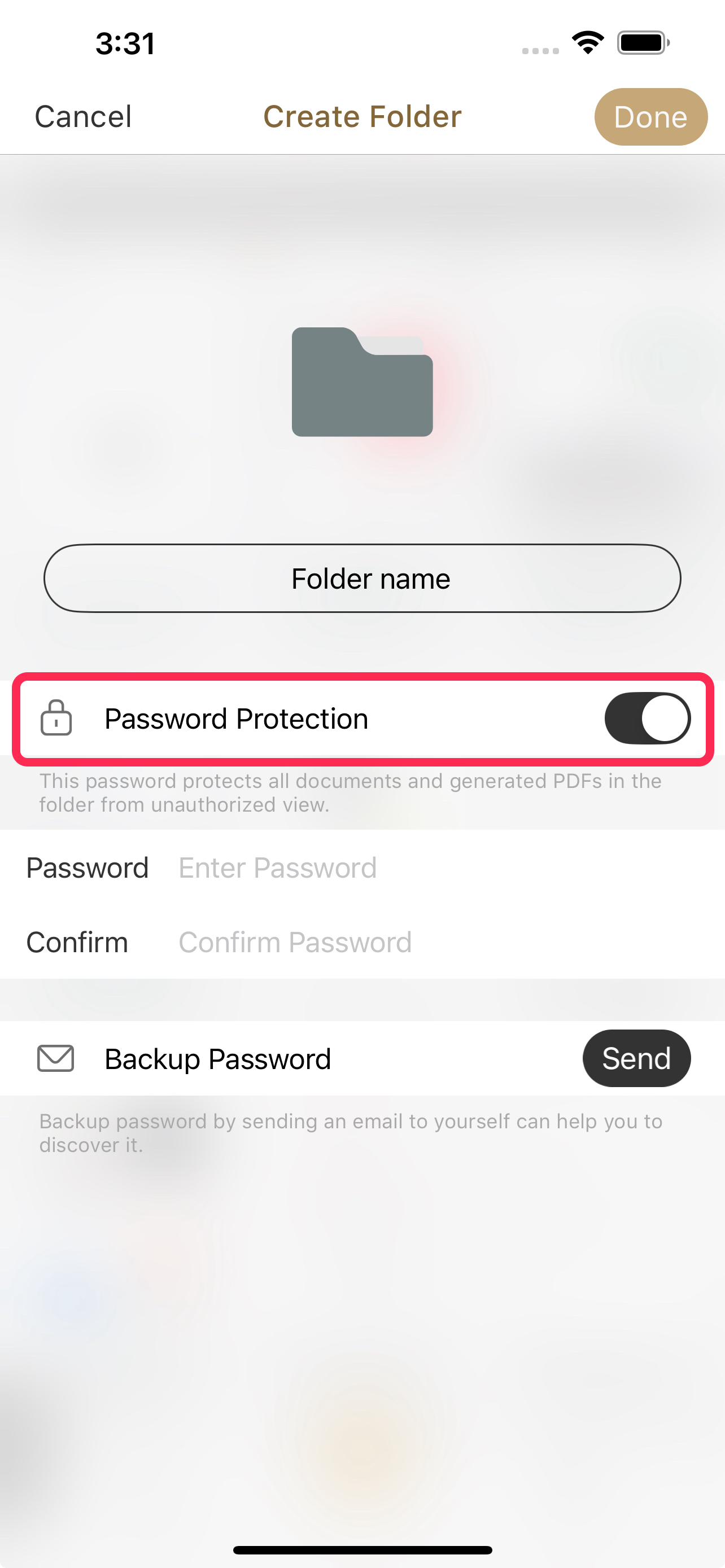
Turn on Password Protect and set your password.
- Move your files into this new folder.
When you place documents inside a locked folder, they are automatically protected with a password.
- Viewing Documents: To open the folder or any of the documents within it, you'll need to enter the password first.
- Exporting Documents: When you export documents from this folder, they will automatically be encrypted with the folder's password. This ensures your files remain secure even when you share them.
Method 2: Encrypt PDFs Upon Export
If you only need to protect a PDF, you can set a password directly when you export it.
-
Select your document, then tap Export.

-
Choose where you want to export it to.

-
In the Export Options menu, choose the PDF format.

-
Turn on Password Protection and set your password.
Once you enable encryption, you can set a unique password for that specific document. This way, the document remains password-protected after export, even if it was originally located in an unlocked folder.

-
Tap Next to finish exporting the encrypted file.


